
Installation Guide
Full installation options for the open-source package and SalsaFX Pro.
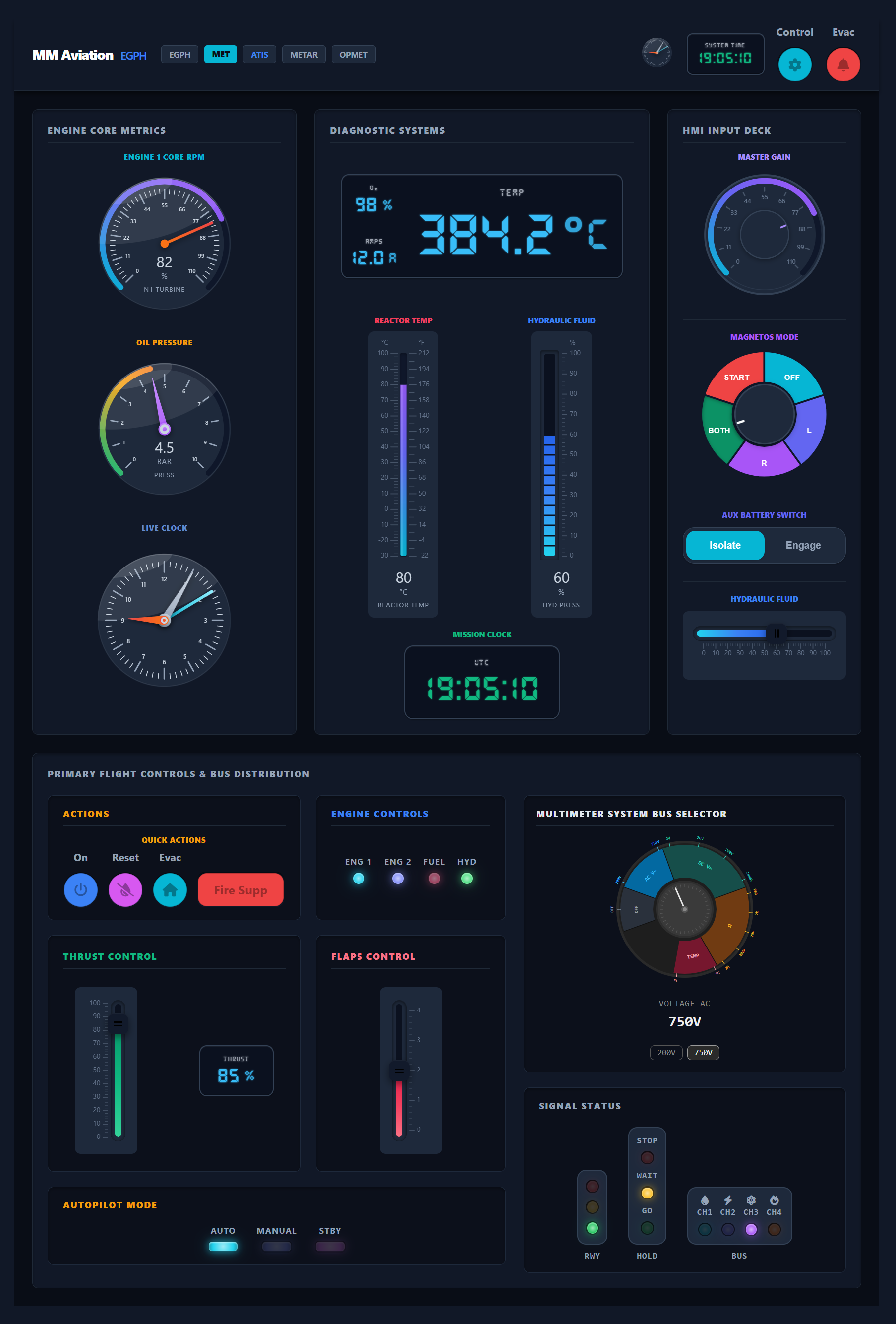
Welcome to SalsaFX, a modern component library for building HMI / SCADA‑style dashboards in React, Solid, Vue, Svelte, and Lit.
It provides ready‑to‑use gauges, meters, switches, and display panels designed for industrial and real‑time visualization.
v16.62.0
Install the package
npm install @salsafx/uipnpm add @salsafx/uiyarn add @salsafx/uibun add @salsafx/uiImport the components
In your app entry file (Vite, webpack, etc.):
import '@salsafx/ui';This registers all custom elements (fx-radial-gauge, fx-fader, …).
Use them in HTML / JSX / templates
<fx-radial-gauge value="72" min="0" max="100" label="Engine RPM" unit="RPM"></fx-radial-gauge>That’s it!
Wire data through properties (value) and events (input, change).
Save as index.html and open via a local static server (or any host). Import maps load the package from a CDN — no bundler required:
<!DOCTYPE html><html lang="en"><head>    <meta charset="UTF-8" />    <title>SalsaFX demo</title>    <script type="importmap">    {      "imports": {        "@salsafx/ui": "https://esm.sh/@salsafx/ui",        "lit": "https://esm.sh/lit@3.3.3",        "lit/": "https://esm.sh/lit@3.3.3/"      }    }    </script>    <script type="module">        import '@salsafx/ui';
        const fader = document.getElementById('fader');        const gauge = document.getElementById('gauge');
        fader.addEventListener('input', (e) => {            gauge.value = e.detail.value;        });    </script>    <style>        body {            margin: 0;            min-height: 100vh;            display: grid;            place-items: center;            background: #0a0709;            font-family: system-ui, sans-serif;        }    </style></head><body>    <fx-group-box title="Reactor Core" background="#111827">        <fx-radial-gauge            id="gauge"            value="60"            min="0"            max="100"            label="Core Temp"            unit="°C"        ></fx-radial-gauge>
        <fx-fader            id="fader"            value="60"            min="0"            max="100"            label="Power Output"            unit="%"            length="220"            has-value-display        ></fx-fader>
<fx-switch id="status" active-id="online"> <fx-switch-state value="offline" label="OFFLINE" background-color="#ef4444" ></fx-switch-state> <fx-switch-state value="online" label="ONLINE" background-color="#10b981" ></fx-switch-state> </fx-switch> </fx-group-box></body></html>After pnpm add @salsafx/ui:
import { useEffect, useRef, useState } from 'react';import '@salsafx/ui';
export function ReactorCore() {    const [power, setPower] = useState(60);    const faderRef = useRef(null);
    useEffect(() => {        const fader = faderRef.current;        if (!fader) return;
        const onInput = (e) => setPower(e.detail.value);        fader.addEventListener('input', onInput);        return () => fader.removeEventListener('input', onInput);    }, []);
    return (        <fx-group-box title="Reactor Core" background="#111827">            <fx-radial-gauge                value={power}                min={0}                max={100}                label="Core Temp"                unit="°C"            />
            <fx-fader                ref={faderRef}                value={power}                min={0}                max={100}                label="Power Output"                unit="%"                length="220"                has-value-display            />
<fx-switch active-id="online"> <fx-switch-state value="offline" label="OFFLINE" background-color="#ef4444" /> <fx-switch-state value="online" label="ONLINE" background-color="#10b981" /> </fx-switch> </fx-group-box> );}After pnpm add @salsafx/ui:
import '@salsafx/ui';
const fader = document.getElementById('fader');const gauge = document.getElementById('gauge');
fader.addEventListener('input', (e) => { gauge.value = e.detail.value;});<body> <fx-group-box title="Reactor Core" background="#111827"> <fx-radial-gauge id="gauge" value="60" min="0" max="100" label="Core Temp" unit="°C" ></fx-radial-gauge>
<fx-fader id="fader" value="60" min="0" max="100" label="Power Output" unit="%" length="220" has-value-display ></fx-fader>
<fx-switch id="status" active-id="online"> <fx-switch-state value="offline" label="OFFLINE" background-color="#ef4444" ></fx-switch-state> <fx-switch-state value="online" label="ONLINE" background-color="#10b981" ></fx-switch-state> </fx-switch> </fx-group-box>
<script type="module" src="/main.js"></script></body>import { LitElement, html } from 'lit';import { customElement, state } from 'lit/decorators.js';import '@salsafx/ui';
@customElement('default-page')export class DefaultPage extends LitElement { @state() private oilTemp = 45;
render() { return html` <fx-card> <fx-stack-panel align-x="center"> <fx-radial-gauge .value=${this.oilTemp} min="0" max="100" label="Oil Temperature" unit="°C" ></fx-radial-gauge> <fx-fader .value=${this.oilTemp} min="0" max="100" label="Oil Temperature" unit="°C" orientation="horizontal" value-origin="start" @input=${(event: CustomEvent<{ displayValue: number }>) => { this.oilTemp = event.detail.displayValue; }} ></fx-fader> </fx-stack-panel> </fx-card> `; }}import { useState } from 'react';import { FxCard, FxStackPanel, FxRadialGauge, FxFader } from '@salsafx/ui/react';
export function DefaultPage() { const [oilTemp, setOilTemp] = useState(45);
return ( <FxCard> <FxStackPanel alignX="center"> <FxRadialGauge value={oilTemp} min={0} max={100} label="Oil Temperature" unit="°C" /> <FxFader value={oilTemp} min={0} max={100} label="Oil Temperature" unit="°C" orientation="horizontal" valueOrigin="start" onInput={(event) => { setOilTemp(event.detail.displayValue); }} /> </FxStackPanel> </FxCard> );}import { createSignal } from 'solid-js';import { FxCard, FxStackPanel, FxRadialGauge, FxFader } from '@salsafx/ui/solid';
export function DefaultPage() { const [oilTemp, setOilTemp] = createSignal(45);
return ( <FxCard> <FxStackPanel alignX="center"> <FxRadialGauge value={oilTemp()} min={0} max={100} label="Oil Temperature" unit="°C" /> <FxFader value={oilTemp()} min={0} max={100} label="Oil Temperature" unit="°C" orientation="horizontal" valueOrigin="start" onInput={(event) => { setOilTemp(event.detail.displayValue); }} /> </FxStackPanel> </FxCard> );}<script setup>import { ref } from 'vue';import '@salsafx/ui';
const oilTemp = ref(45);</script>
<template> <fx-card> <fx-stack-panel align-x="center"> <fx-radial-gauge :value="oilTemp" :min="0" :max="100" label="Oil Temperature" unit="°C" /> <fx-fader :value="oilTemp" :min="0" :max="100" label="Oil Temperature" unit="°C" orientation="horizontal" value-origin="start" @input="oilTemp = $event.detail.displayValue" /> </fx-stack-panel> </fx-card></template><script>import '@salsafx/ui';
let oilTemp = 45;</script>
<fx-card> <fx-stack-panel align-x="center"> <fx-radial-gauge value={oilTemp} min={0} max={100} label="Oil Temperature" unit="°C" /> <fx-fader value={oilTemp} min={0} max={100} label="Oil Temperature" unit="°C" orientation="horizontal" value-origin="start" on:input={(event) => (oilTemp = event.detail.displayValue)} /> </fx-stack-panel></fx-card>Every interactive component emits standard DOM events:
const fader = document.querySelector('fx-fader');
// Fires continuously while draggingfader.addEventListener('input', (e) => {    console.log('Current value:', e.detail.value);});
// Fires once on drag releasefader.addEventListener('change', (e) => { console.log('Final value:', e.detail.value);});All visual aspects are controlled via CSS custom properties:
fx-radial-gauge { --fx-gauge-size: 280px; --fx-gauge-gradient-start: #06b6d4; --fx-gauge-gradient-middle: #6366f1; --fx-gauge-gradient-end: #8b5cf6;}Installation Guide
Full installation options for the open-source package and SalsaFX Pro.
Component Reference
Explore all available components with live interactive demos.