
Component Autocomplete
Type <fx- and the editor immediately lists all available HMI, SCADA, and Pro custom elements with built-in descriptions.
SalsaFX IDE brings the SalsaFX component language directly into your editor. While writing HTML, Astro, Vue, Svelte, or JSX templates, it offers custom element suggestions, the attributes they accept, and the values those attributes allow — making an HMI gauge, fader, push-button, pill, or tab as discoverable as a native tag.
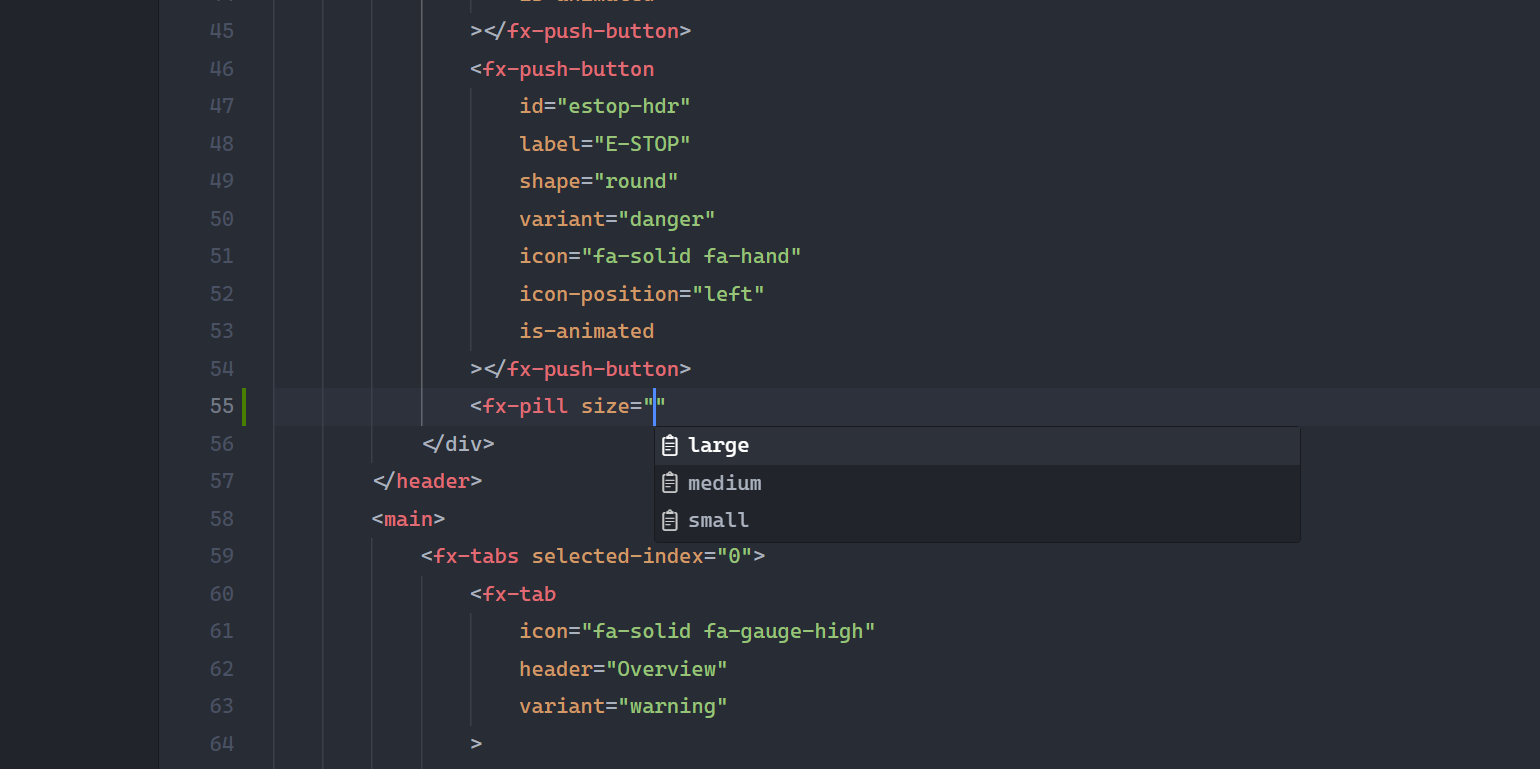
Component Autocomplete
Type <fx- and the editor immediately lists all available HMI, SCADA, and Pro custom elements with built-in descriptions.
Attribute Discovery
Discover valid properties, events, and slots directly in your template without toggling back and forth to documentation.
Allowed Value IntelliSense
Prompts enum values like variant=“primary | warning | danger”, size=“small | medium | large”, and shape=“round | rect”.
Zero Overhead
Powered by the standard HTML Custom Data specification. Zero persistent background daemons, zero telemetry, and instant startup.
Cursor provides first-class support for the SalsaFX IDE extension via its marketplace and the Open VSX Registry.
Ctrl + Shift + X on Windows/Linux or Cmd + Shift + X on macOS).SalsaFX IDE (publisher: kingmaker-sas).Alternatively, install it via the Cursor CLI:
cursor --install-extension kingmaker-sas.salsafx-ideThe extension is published on the official Visual Studio Marketplace and supports VS Code, VS Code Insiders, and VSCodium.
Ctrl + Shift + X / Cmd + Shift + X).SalsaFX IDE.kingmaker-sas and click Install.code --install-extension kingmaker-sas.salsafx-ideSalsaFX custom elements are standard Web Components. IntelliSense is available across all template syntaxes inheriting HTML language contributions:
.html, .htm).astro).svelte).vue)No workspace configuration (.vscode/settings.json) is required.